Key New Features in RasterLink8
Supports HiFi Color's multi-color profiles:
Eye-catching, superior color reproduction
Multi-Color Profile
Beyond standard CMYK, sublimation transfer printers equipped with HiFi colors (specialty inks such as Blue, Violet, Orange, and Fluorescent Pink/Yellow) use multi-color profiles to produce more vivid colors that make the most of each ink’s color rendering capabilities.
Compatible Models:
Sublimation Transfer Printers, TS330 Series, and TS200-1600

Apparel Designs Featuring Rich Shades of Violet
FyFpFluorescent Color Collection
By using the standard fluorescent color collection (98 colors) included in RasterLink8, you can easily apply the fluorescent colors you want to your designs. There is no need for complicated density or color balance adjustments.
Simply select a color from the pre-printed color collection to apply the desired fluorescent color to your design, allowing you to easily take advantage of the vivid expression unique to fluorescent ink.
Compatible Models:
JFX220, and UJF200 flatbed UV printers
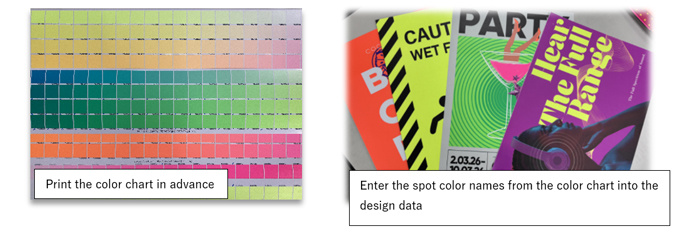
Fluorescent Color Collection and Instructions for Use
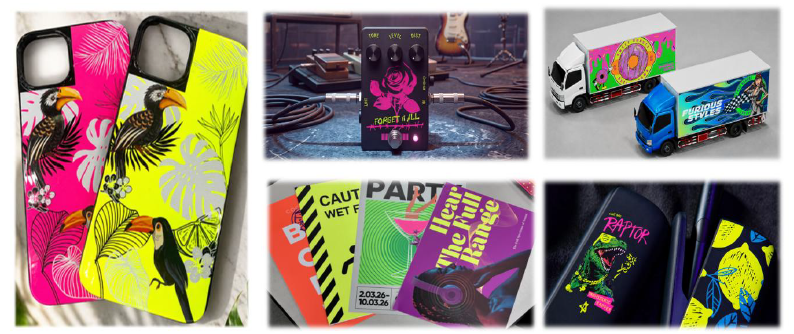
Examples of fluorescent applications
RasterLink8 Fluorescent color replacement:
No need for tedious density or curve adjustments
— Easily replace colors using Mimaki ICC profiles
It is possible to replace the magenta and yellow areas in the output data with fluorescent pink and fluorescent yellow during printing.
Select the target for color replacement in the image data from among illustrations, images, and text.

Replacement color
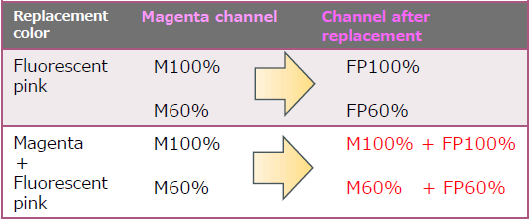
*You can choose between 100% complete color replacement and color replacement that preserves existing process colors.
Examples of affected data
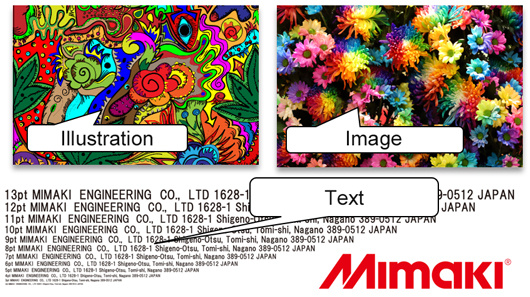
*If the fonts have been converted to outlines, they will be recognized as illustrations.
Color management emulation function:
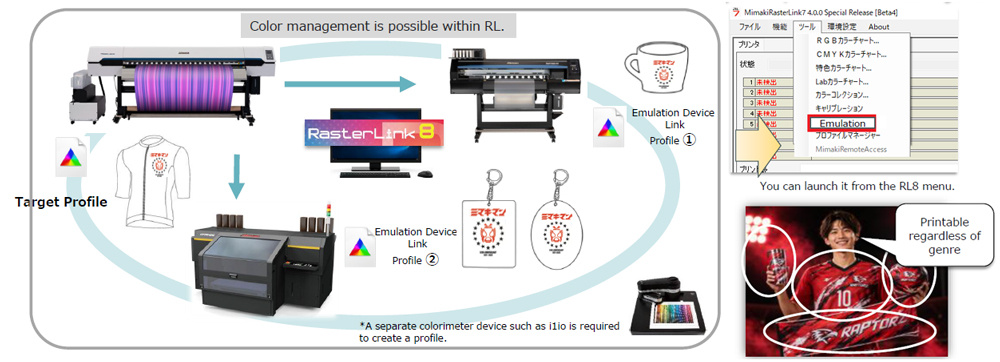
A color management system that can be performed within the RIP.
RL8 includes a new emulation feature that makes it easy to manage color matching between printers when replacing or adding new printers.
*You can launch it from the RL8 menu.
Job management & labor saving:
Excellent management functions enable labor savings.
Beyond just RIP processing enabling a bird's-eye view of the production floor management.
- Job Management: Remote management and print execution are possible.
- Manage print schedules: It displays which job will finish when, and the ink level.
- Print easily and without errors: Create an Instruction sheet with a QR code containing the job details.
- Collaboration with higher-level institutional systems: Integrate with higher-level, large-scale production management systems (such as ERP) to create and execute jobs.
Automated Environment Backup: Ensuring RIP Security in the Cloud
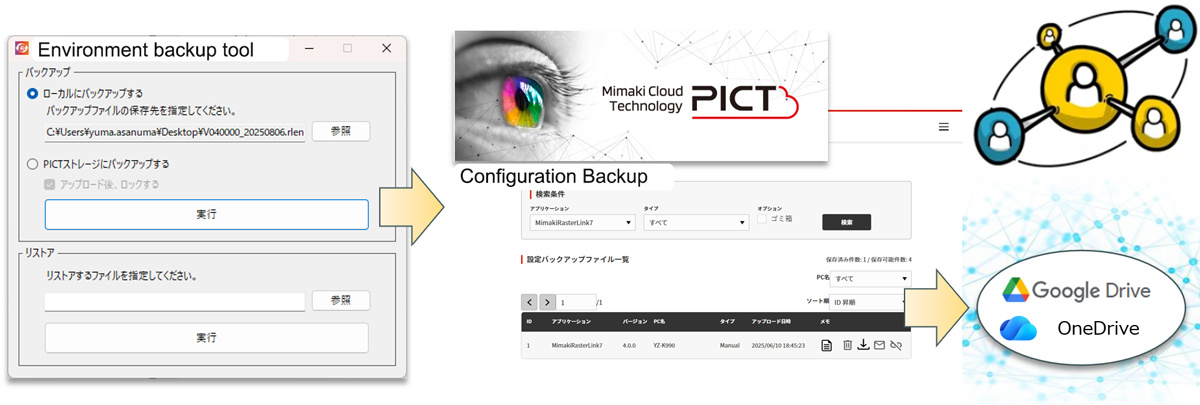
The printing environment can be automatically backed up through PICT* integration (manual backups are also available).
In the event of an issue, you can quickly restore the system by downloading it from the cloud.
*Mimaki Cloud Technology PICT: Cloud-based printer status monitoring tool
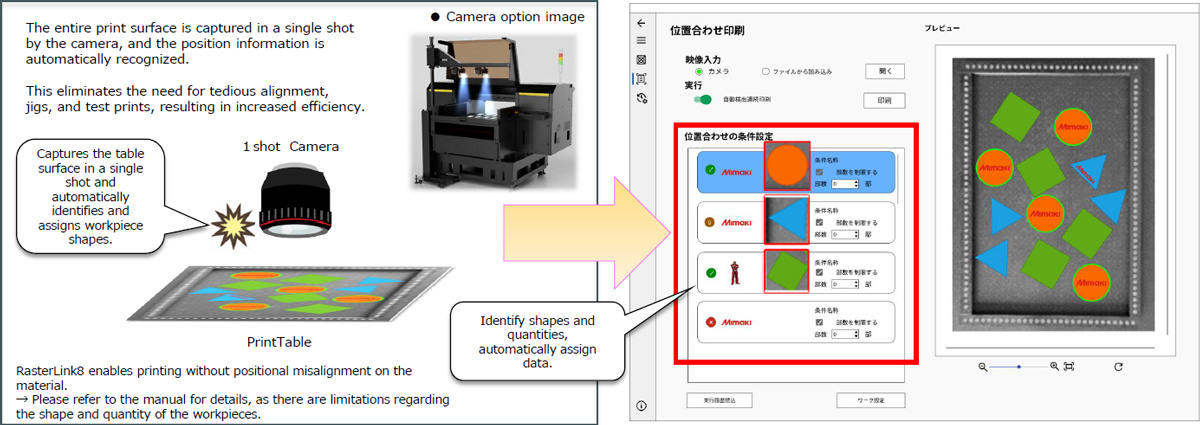
Automatic Camera Alignment Function:
A solution made possible by Mimaki’s focus on automation and productivity.
The camera detects the position and shape of the print material, allowing print data to be automatically placed in RasterLink8.
This reduces the need for manual positioning and alignment of the print material.
Compatible Models: UJF200 Series (when equipped with the camera option)